Free · open source · MIT
No Live
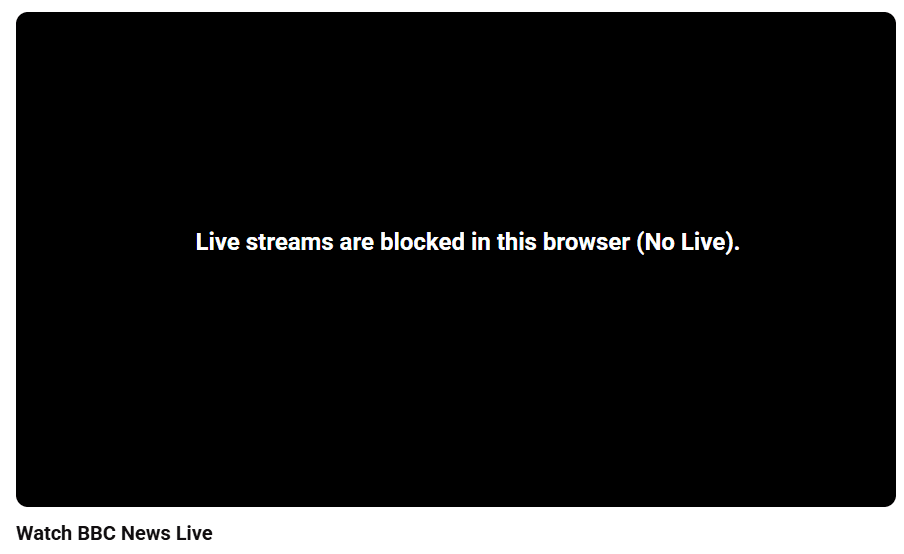
It stops every live stream on YouTube in your browser. Live TV included, such as BBC News, which now streams live on YouTube in the UK.
Ordinary videos, clips and replays of ended streams still play. No channel list, nothing to tune.
How it works
- It marks every live stream’s player data as unplayable, before YouTube’s own code runs.
- It takes live-now tiles out of lists, so you don’t see them.
- A backstop stops and covers any live player that still gets through.
Tested on 15 October 2026 on real YouTube, against the BBC News live stream: 13 of 13 end-to-end checks passed in Edge (add-on and userscript), Chrome and Firefox’s engine. A control run without No Live showed the stream playing, so the checks can fail.
Install
Start with the first one that fits your device. Each takes a minute.
1 · Computer, one click
Install the userscript
Works in Chrome, Edge, Brave and Firefox on a computer. It needs Tampermonkey or Violentmonkey, both free.
- Install Tampermonkey (or Violentmonkey) in your browser first.
- Click the button and confirm the install.
2 · iPhone and iPad
Use the Userscripts app
- Install Userscripts from the App Store. It is free.
- In Settings, switch Userscripts on under Safari’s extensions.
- Open the userscript link in Safari and choose to install it in Userscripts.
3 · Coming soon
Store installs
One-click listings for each browser store are on their way.
4 · Add-on by hand
Download the add-on (zip)
For Chrome, Edge and Brave on a computer.
Download the add-on (zip)Load it unpacked, step by step
- Download the zip from the link above and unzip it.
- Keep the unzipped folder somewhere permanent. The browser reads the add-on from it.
- Open
chrome://extensions(Chrome),edge://extensions(Edge) orbrave://extensions(Brave). - Switch on Developer mode.
- Click Load unpacked and choose the unzipped folder.
Works today, coming, looking into
| Where | Status | How |
|---|---|---|
| Chrome, Edge and Brave on a computer | Works today | Userscript (Tampermonkey or Violentmonkey), or the add-on zip. Tested in Edge and Chrome; Brave runs the same engine |
| Firefox on a computer | Works today | Userscript (Tampermonkey or Violentmonkey). Tested in Firefox’s engine |
| iPhone and iPad (Safari) | Ready to try | Userscripts app (free, App Store). Passes our checks in Safari’s engine; not yet tried on a real iPhone |
| Chrome, Edge and Firefox stores | Coming | One-click store installs |
| Android | Coming | Firefox for Android, once the Firefox Add-ons listing is up |
| Smart TVs | Looking into it | Honestly, probably not possible: TV apps don’t accept add-ons |
We haven’t tried it on a real iPhone or iPad yet. If anything breaks, tell us on GitHub.
What it does not do
- It does not decide whether you need a TV licence. What you watch decides that. Under TV Licensing’s rules you need a licence to watch any channel live on any device or service, including YouTube, and to watch anything on BBC iPlayer. On-demand YouTube videos and non-broadcast live streams don’t need one. Check on TV Licensing’s site.
- It does not work inside the YouTube apps on phones, TVs or consoles. It runs in browsers only.
- It does not cover other sites or services, such as BBC iPlayer or ITVX.
- It is not a lock. It stops live TV on YouTube by accident or by habit, but anyone who wants to get round it can: remove it, use another browser, or use the app.
Questions
Does it stop the BBC on YouTube?
Yes. It blocks every live stream on YouTube in a browser that has it, including live news channels. BBC News’s own live stream is the one we test it against. It doesn’t stop videos, clips or replays.
Is it safe? Does it collect data?
No, it doesn’t collect data. The code makes no network requests and stores nothing. It is open source under the MIT licence, so you can read every line on GitHub.
Why not just block the BBC?
Because the licence question covers any channel that is live, not only the BBC. Blocking every live stream is the simple version, and it doesn’t need a list of channels.
Does it work on TV?
No, not yet. It’s being looked into, but TV apps don’t accept add-ons, so it’s probably not possible.
How do I turn it off?
Remove it. In Tampermonkey or Violentmonkey, switch the script off or delete it. For the add-on, remove it on your browser’s extensions page.